
WhatsApp Live Chat
Shared Inbox
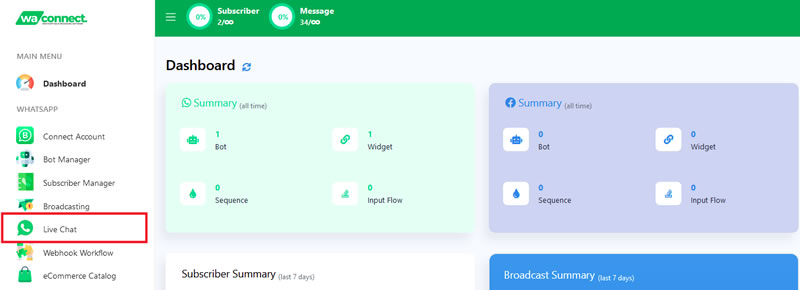
- Access WhatsApp Live Chat by clicking on the Live Chat option from the left menu.
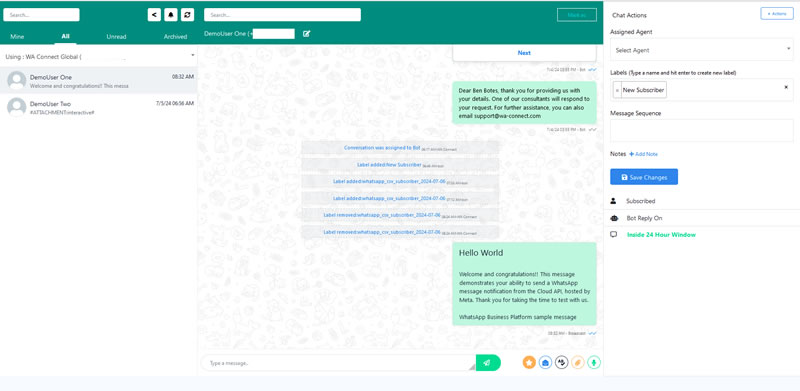
- Here you will see the full list of your subscribers as well as the shared inbox with various functionalities available to you.
Inbox Functionalities
Below is a detailed explanation of all the functionalities available in the inbox
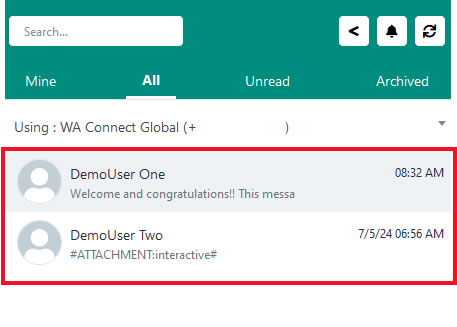
- Filter chats by Chats Assigned to you, All Chats, Unread Chats or Archived Chats
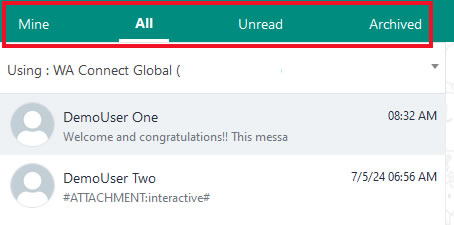
- List of all subscribers
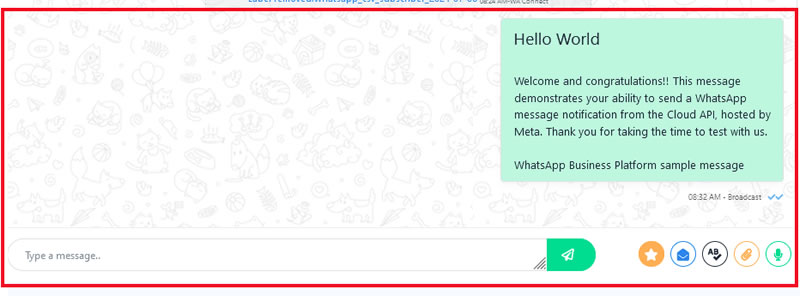
- Chat history as well as the option to reply to a message received from a subscriber provided it is within the allowed 24-hour window.
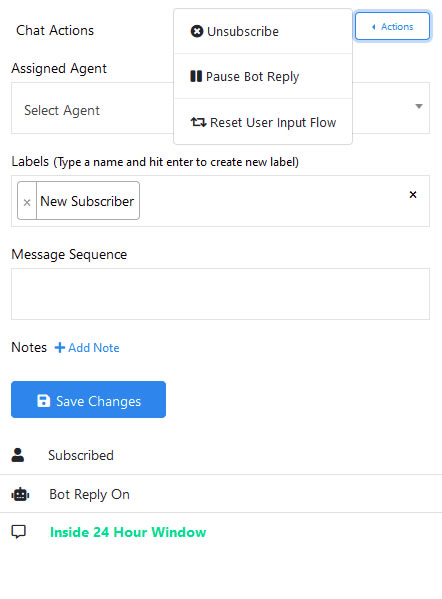
- The chat Actions window to the right allows you to update specific information related to a subscriber.
Inbox Search Bar
Utilize the search bar within the Live Chat interface to find specific subscribers or information quickly.
- Subscriber search.

- Chat Search.

- Return to the Dashboard.

- You can toggle notifications on or off. When enabled, you’ll receive sound alerts for new messages.

- There is a refresh button located beside the notifications button. Click this to update the live chat interface.

- The Mark As button allows you to categorize conversations as read, unread, archived, or unarchived, making it easier to manage your chat history.